A brand offered me $400 to make UGC videos for their skincare line. I had no camera, no ring light, and no time to hire anyone. I did the whole thing with AI in two afternoons — and they loved it.
UGC — user generated content — became one of the hottest things in e-commerce marketing over the last couple of years. Brands realized that a shaky phone video of a real person genuinely talking about a product converts better than a polished studio ad. It looks real. It feels trustworthy. People stop scrolling for it.
The problem? Finding real creators, briefing them, waiting for deliverables, doing revision rounds — it costs time and money even at the budget end of the market. And if you’re a small brand or a solo e-commerce seller, it often just doesn’t happen at all.
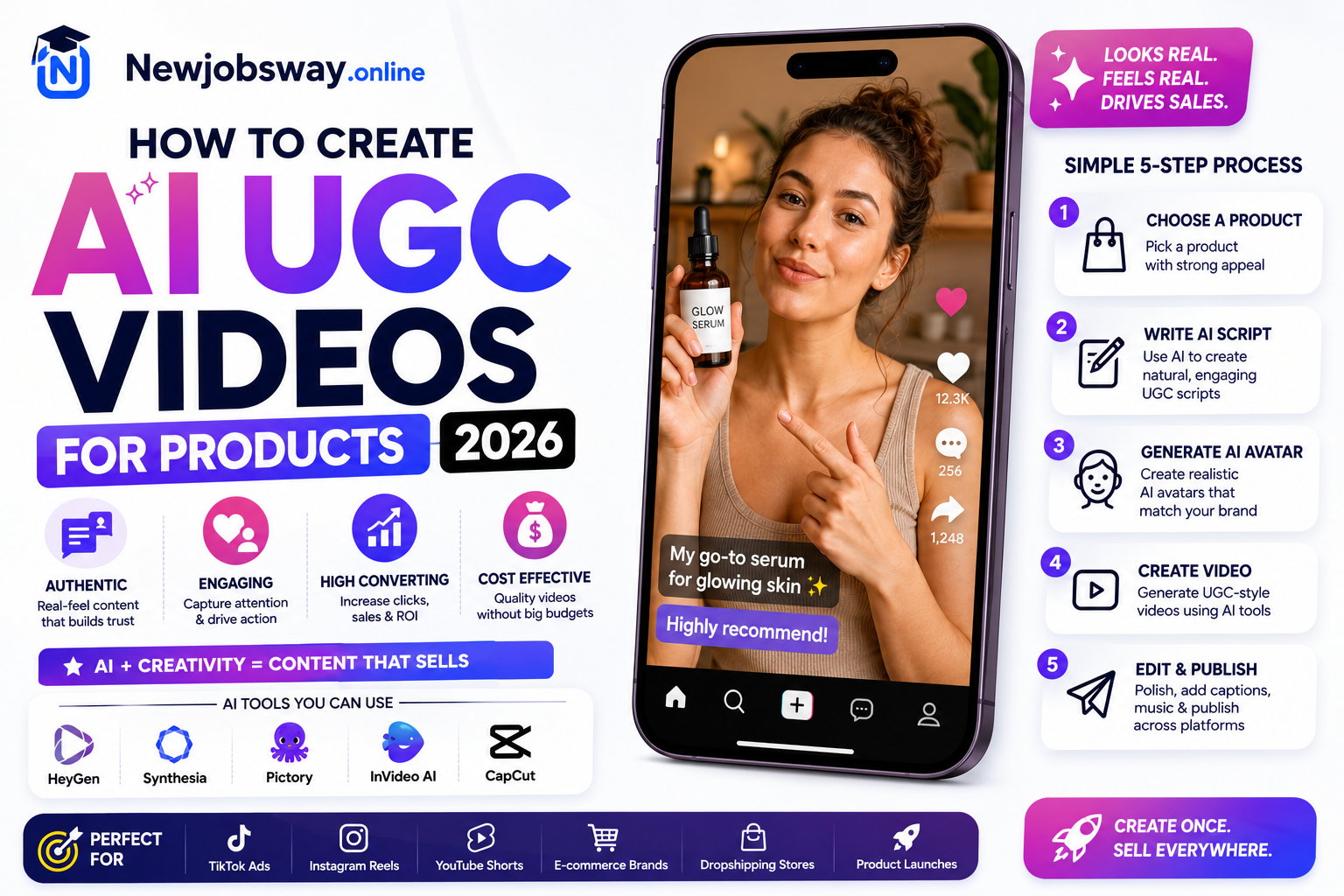
AI UGC tools changed this completely in 2025, and by 2026 the quality has gotten to a point where I genuinely can’t tell the difference on some of the better outputs. Here’s the full workflow — exactly what I use, in the order I use it.
What AI UGC Actually Is (And What It Isn’t)
AI UGC videos use synthetic AI avatars — realistic digital humans — to record what looks like a real person talking to camera about your product. You write the script, choose the avatar, generate the video. The avatar speaks your words with natural mouth movement, facial expressions, and gestures.
It’s not perfect. Close inspection on a large screen sometimes shows the uncanny valley. But on a phone screen, scrolling through TikTok or Instagram Stories at normal speed? It’s indistinguishable to most viewers — and the data from brands using it backs this up.
AI UGC ≠ AI-generated product footage. You still need real product images or video. The AI handles the “creator talking to camera” element — the product shots, unboxing footage, or demo clips are ideally real. The combination of real product + AI presenter is what makes it convincing.
The Tools That Make This Work in 2026
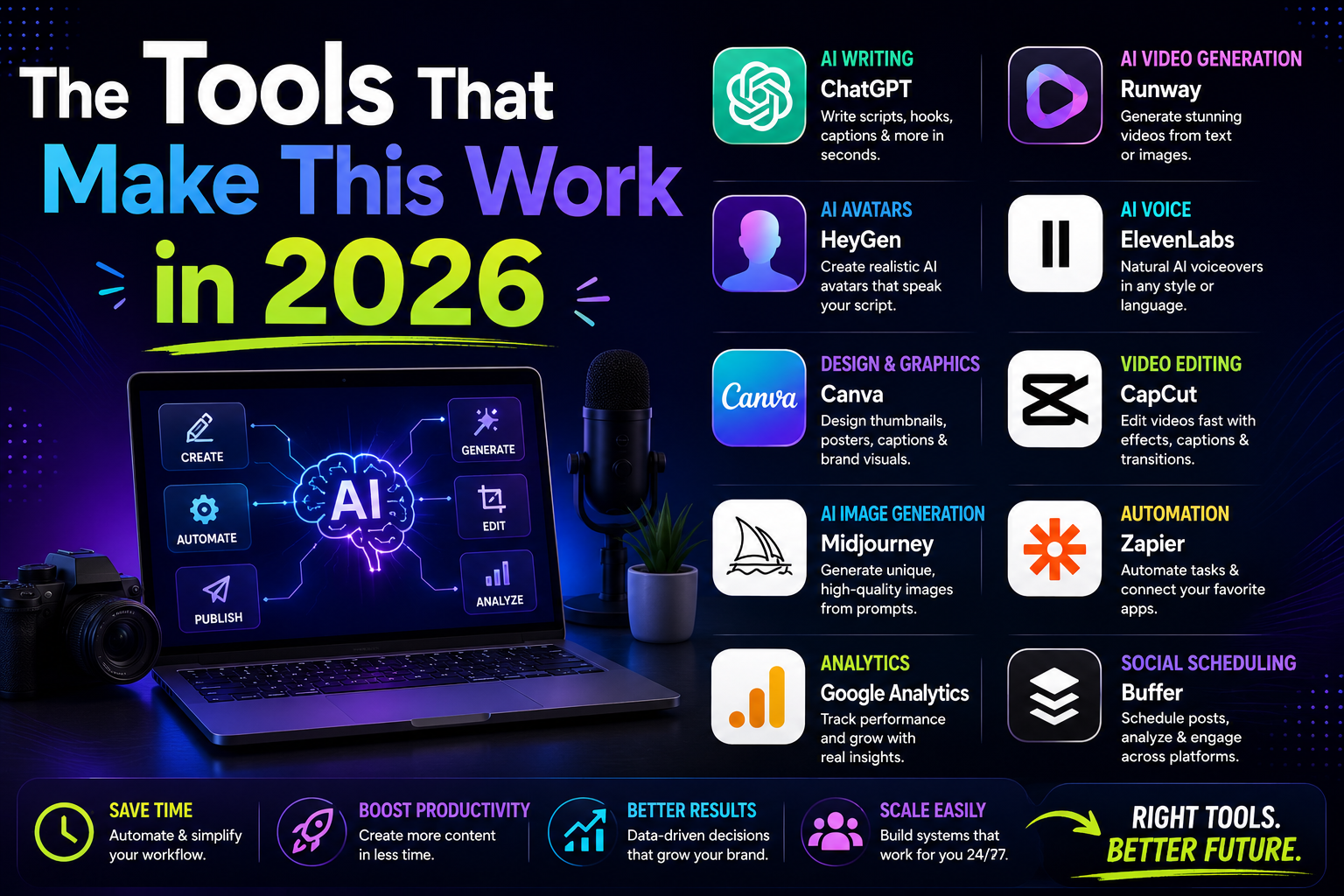
HeyGen is where I start every AI UGC project. You choose from hundreds of pre-built avatars — different ages, ethnicities, styles — or you can create a custom avatar from a short video of yourself or a hired model. Write your script, select your avatar, choose the voice (or clone a voice), and hit generate. The lip sync quality in 2026 is genuinely impressive — small head movements, natural blinking, occasional hand gestures. The output is MP4, ready to drop into editing. The free trial gives you a few minutes to test before committing.
Creatify is specifically built for product ads and it shows. You paste your product URL or upload product images, and it automatically generates a complete UGC-style video — avatar, script, b-roll, captions, background music. The whole thing in under five minutes. The default scripts it generates are basic, but you can edit them entirely. What makes Creatify stand out for e-commerce is its A/B testing feature: generate 4–5 variations with different avatars and scripts, run them as ads, see which converts. That kind of testing used to cost thousands of dollars in creator fees.
The voice is what breaks the illusion faster than anything else in AI UGC. Robotic or flat delivery kills the authenticity immediately. ElevenLabs produces the most natural AI voices available right now — genuine intonation, pacing variation, emotional range. For skincare or lifestyle products, use their “Conversational” voice styles. For fitness or tech products, the “Energetic” styles work better. You can also clone your own voice with just a few minutes of audio if you want the video to sound like you specifically.
Every AI UGC video needs editing — cutting between the avatar and product footage, adding captions, choosing background music, adjusting color grading to match the “authentic phone camera” look. CapCut does all of this and it’s free. The auto-caption feature transcribes and places captions automatically, and you can style them to match the chunky bold caption aesthetic that performs on TikTok. The “Auto Cut” feature also helps you trim dead air from AI avatar videos, which sometimes have slightly unnatural pauses.
If you don’t have real product footage — or your product photos aren’t good enough — Runway Gen-3 can generate short video clips of your product in use. Upload a product image and describe the scene: “hands applying moisturizer to skin, bathroom counter, soft morning light, slow motion.” The output isn’t always perfect but for cutaway b-roll shots that appear for 2–3 seconds at a time, it’s more than convincing enough. This is particularly useful for drop-shippers who don’t have physical product access.
“The avatar is the face. The script is the soul. Get the script wrong and no avatar will save it.”
Writing Scripts That Actually Convert
This is the part most people rush and regret. A bad script delivered by the best AI avatar is still a bad ad. The script structure for UGC-style product videos follows a very specific pattern that’s been proven to work on short-form platforms:
Notice what’s NOT in that script: the brand name in the first five seconds, generic phrases like “amazing product” or “game changer,” a hard sell, or a discount code push. The best UGC feels like a recommendation from a friend, not an advertisement.
Full Workflow — From Brief to Final Video
Use the structure above. Keep it under 90 seconds for TikTok/Reels. Read it out loud — if it sounds like you’re reading an ad, rewrite it. Use Claude or ChatGPT to help draft if you’re stuck, but edit heavily to add specific product details and natural speech patterns.
Pick an avatar whose demographic matches your target customer, not the broadest possible audience. A skincare product for women 25–35 performs better with that avatar than with a generic “everyone” choice. Generate a 15-second test clip before committing to the full video.
Generate your script audio in ElevenLabs first — adjust the stability and clarity sliders until the pacing sounds natural. Download as MP3, then upload to HeyGen and use “Custom Voice” mode to sync the avatar to your ElevenLabs audio. This gives better results than HeyGen’s built-in voice generation.
Film 3–5 short clips of the actual product — on a surface, being held, being applied/used. Even bad phone footage works as b-roll because UGC is supposed to look slightly raw. If you genuinely can’t access the product, generate b-roll clips in Runway Gen-3 using your product images.
Drop the avatar video on the main track. Cut to product footage at natural break points (every 10–15 seconds maximum — never let the avatar talk uncut for 30+ seconds). Add auto-captions, style them with a bold chunky font. Add subtle background music at around 15–20% volume. Color grade slightly warm to enhance the “authentic” feel.
This is the step most people skip. Real UGC videos have small imperfections: slight camera wobble, occasional ambient sound, a cut that’s a half-second too long. In CapCut, add a very subtle vignette, reduce sharpness slightly on the avatar clips, and add a barely-audible room tone audio track underneath. These micro-details stop the brain from flagging it as synthetic.
Export at 1080×1920 (vertical) for TikTok/Reels, or 1080×1080 for feed posts. Watch the full video on your phone — not your laptop. If anything looks off on the phone screen, fix it. The brand/client will watch it on a phone. That’s your quality bar.
Where to post these videos:
Mistakes That Make AI UGC Look Fake
Nothing gives away AI video faster than watching an avatar talk on screen for 20+ seconds with no cuts. Real UGC videos cut constantly — to the product, to text overlays, to close-up shots. Cut away from the avatar every 8–12 seconds maximum. The cuts hide subtle unnaturalness in longer sequences.
HeyGen’s default backgrounds are clean studio setups that real UGC creators never actually film in. Use their background replacement feature to add a realistic indoor setting — a bedroom, kitchen counter, bathroom — with slightly imperfect lighting. The more “shot on iPhone in my apartment” it looks, the more authentic it feels.
Phrases like “This innovative formula features cutting-edge ingredients” kill UGC authenticity instantly. Real people don’t talk like that. They say “I didn’t expect this to actually work but it does” and “my friend asked me what I changed about my routine.” Read your script out loud. If it sounds corporate, rewrite it in plain speech.
If you’re creating AI UGC for paid advertising — which most of this use case is — disclosure requirements in many markets are evolving fast. The FTC in the US and equivalent bodies elsewhere are moving toward requiring disclosure of AI-generated content in ads. Always check current requirements for the platform and market you’re advertising in, and add disclosure language when required. This isn’t just legal protection — it’s the honest approach.
TikTok, Meta, and YouTube all have evolving policies on AI-generated content in ads. As of 2026, TikTok requires labeling AI-generated content and Meta’s ad policies require disclosure of synthetic media. Always check the current ad policy for your platform before running AI UGC as paid advertising — violations can result in account restrictions.
How the Skincare Project Actually Went
The brand I mentioned at the start — I delivered five videos. Two performed poorly (the scripts were too polished, my mistake). Two performed okay. One became their best-performing ad of the quarter, running for six weeks before fatigue set in.
The winning one was the simplest: a 45-second video, one avatar talking, three cuts to product footage. The script started with “I don’t usually post about skincare but I have to say something about this.” That hook held viewers through the first three seconds and the watch-through rate did the rest.
They’ve since built an internal process using exactly this workflow and generate their own content now. The whole setup cost them one month of HeyGen and ElevenLabs — about $60 total. Previously they were spending $300–500 per video on freelance UGC creators.
Skincare, supplements, home organization, tech accessories, and digital products are where AI UGC performs best because the “person talking about a product they use” format fits naturally. Physical products that require hands-on demonstration — cooking equipment, tools, fitness gear — still benefit from at least some real footage mixed in.
Start with Creatify if you want the fastest possible output — paste the product URL and see a rough cut in minutes. Move to HeyGen + ElevenLabs when you want more control over avatar choice and voice quality. CapCut handles everything after that. The script is the one thing no tool can fully do for you — spend more time on it than anything else, read it out loud, cut anything that sounds like an ad, and your avatar’s job becomes mostly just delivering it. The technology handles the face. You handle the words.