When a friend who runs a local gym asked me to help with their social media and wall posters, I thought it would be straightforward. I’d been using Midjourney for a while, knew the basics, and figured fitness content would be easy — muscular guy, dramatic lighting, motivational text. Done.
Six weeks and about sixty failed generations later, I understood why gym posters specifically are one of the harder things to get right with AI image tools. The lighting has to be dramatic without looking fake. The physique has to look athletic and aspirational without crossing into unrealistic territory. The composition needs to work for both a phone screen and an A3 wall print. And the overall mood has to feel motivating — not aggressive, not clinical, not like a supplement ad from 2008.
Getting all of that right from a single text prompt takes some very specific language. Here’s exactly what I figured out.
Why Gym Transformation Posters Are Tricky to Prompt
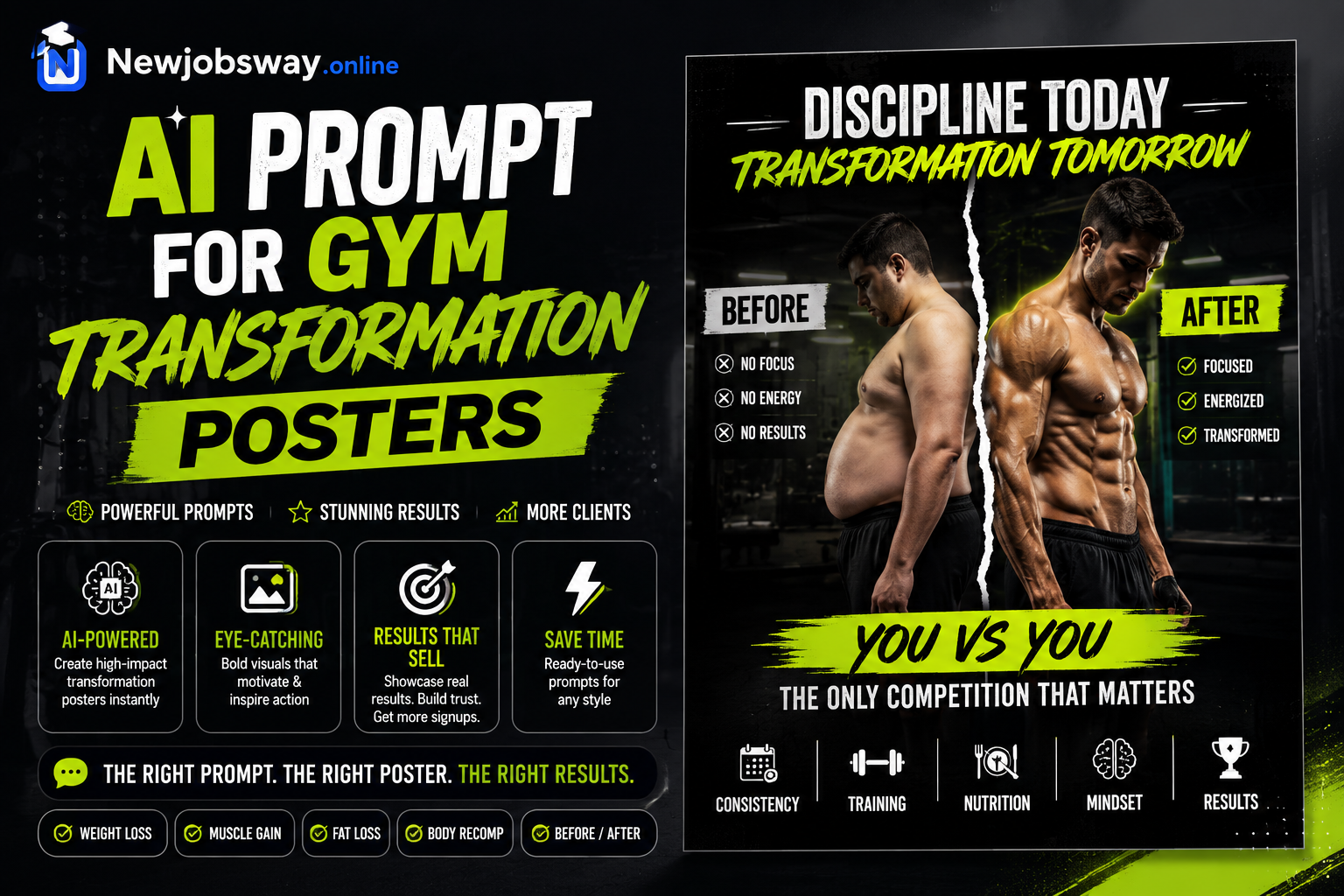
The word “transformation” is the first problem. Feed that to any AI image tool and you get one of two things: a split before/after graphic that looks like a diet ad, or an over-muscled figure that looks like a comic book character. Neither works for an actual gym poster.
What you actually want is a single powerful image that communicates effort, progress, and possibility — without literally showing a “before and after.” The transformation should be implied by posture, lighting, and mood rather than explicitly staged.
The best gym transformation posters don’t show transformation — they show the result of it. One powerful image at the peak moment. The viewer fills in the journey themselves. That’s what makes them motivating rather than clinical.
The second problem is anatomy. AI tools are still inconsistent with muscle definition, especially when you ask for “muscular” or “athletic” without being specific. You need to describe the physique in terms of what it looks like — not what it is — and anchor it with a photography style reference so the AI knows the aesthetic you’re after.
The Prompts That Actually Worked
Poster Style 1 — Dark Drama / Gym WallThe “rear view lat spread” is a specific pose request that AI handles well — it avoids the face anatomy issues that often come up with front-facing portraits and produces naturally dramatic muscle composition. “No text” at the end is important — AI tools often add random unreadable text if you don’t explicitly exclude it.
Poster Style 2 — Cinematic / AspirationalThe golden hour silhouette approach sidesteps anatomy issues entirely while producing images that genuinely look cinematic. The “dust particles in light rays” detail is a small addition that consistently makes the output feel more real and dramatic — the AI knows exactly what this looks like from thousands of training images.
Poster Style 3 — Bold Energy / Social MediaDALL-E 3 handles close-up portraits with expressive faces more consistently than Midjourney on female subjects. The “mid-workout candid” framing — sweat, expression, movement — produces much more authentic-feeling results than posing language.
Poster Style 4 — Before & After Concept (Without the Cliché)This approach gets the transformation concept across visually without showing bodies at all — which also means no anatomy issues, no face generation problems, and no accidental depiction of unrealistic physiques. It’s more graphic-design minded, which makes it excellent for print posters that need to work at large format.
“Stop prompting the concept. Start prompting the image.”
Which Tool For Which Poster
One tool worth highlighting separately: Ideogram. If your poster needs motivational text baked into the image — “No Days Off,” “Built Not Born,” that kind of thing — Ideogram handles readable text in images far better than Midjourney or DALL-E. Generate the base image in Midjourney, then recreate it in Ideogram if you need text embedded. Or generate the visual in Midjourney and add text in Canva afterward — that’s usually the cleanest result.
Step-by-Step: From Prompt to Print-Ready Poster
Mistakes That Wasted My Time
Every time I used “transformation” directly, I got split-screen before/after images or cheesy supplement-ad aesthetics. The word triggers a very specific visual template in these models. Replace it with what you actually want to show: “peak athletic condition,” “the moment after a hard set,” “post-workout portrait,” or “athletic achievement.” Describe the scene, not the concept.
Vague muscle requests produce either cartoon-level physiques or completely average body types with no definition. Be specific: “visible muscle definition with natural proportions,” “athletic V-taper build,” “lean with visible shoulder and back muscle detail.” Give the AI something anatomically specific to work with.
Generating a square image and then cropping to portrait for a poster loses half your resolution and usually cuts off compositionally important elements. Always set the right aspect ratio from the start — Midjourney’s –ar flag, or the dimension settings in other tools. For A3 portrait prints, –ar 2:3 is your friend.
AI images generated at standard settings look fantastic on screen at small sizes and genuinely bad when printed at A3 or larger. I learned this the expensive way when a batch of posters came back from the printer looking soft and slightly pixelated. Always upscale to at least 4K (ideally higher) before sending anything to print.
If you’re generating posters for a gym that pays you — meaning commercial use — check each tool’s terms. Midjourney requires a Pro subscription for commercial work. Adobe Firefly images are cleared for commercial use by design. DALL-E 3 via ChatGPT Plus also allows commercial use. Don’t generate commercially on a free Midjourney account and assume it’s fine — it isn’t under their terms.
What the Gym Actually Used
Of all the poster styles I tested, the silhouette golden-hour approach (Prompt 2 above) was the one the gym printed and put on their wall. Not the most technically impressive output, not the most detailed — but the one that created an emotional response when you walked past it.
The dark drama version (Prompt 1) became their Instagram content. High engagement, lots of saves. The close-up portrait version went on membership flyers and consistently out-performed photos they’d previously paid a photographer to shoot.
The whole content library for six months of posts took about four hours to generate and curate — compared to the day-long photography sessions they’d been doing before. The gym owner still doesn’t fully believe the wall poster isn’t a real photograph.
Start with Prompt 1 or 2 — they’re the most versatile and consistently produce usable results. Use Midjourney v6 if you have access; Leonardo.ai if you need free. Always specify aspect ratio from the start, describe lighting in technical terms, add a camera reference, and add “no text” at the end of every prompt. Generate at least four variations before changing direction. And before anything goes to print — upscale it. That last step is the one most people skip and the one that makes the biggest visible difference.