I tracked my time as a freelance writer for one week. Client work was 26 hours. Everything else — proposals, invoices, emails, research, revisions, admin — was 19 hours. That 19 hours wasn’t billable. That’s the problem AI actually solves.
The biggest lie in freelancing is that you get paid for all your time. You don’t. You get paid for the hours you spend on deliverables. Every hour spent on proposals, back-and-forth emails, invoices, research, and administrative tasks is time you’re working for free. Most freelancers I know spend 30–40% of their working hours on unbillable overhead.
AI tools don’t give you more clients or higher rates — those still depend on your skills and reputation. What they do is compress the overhead. The same proposal that took me two hours now takes twenty minutes. Research that used to eat half a morning now takes thirty minutes. A client email I used to stare at for fifteen minutes drafts in forty-five seconds.
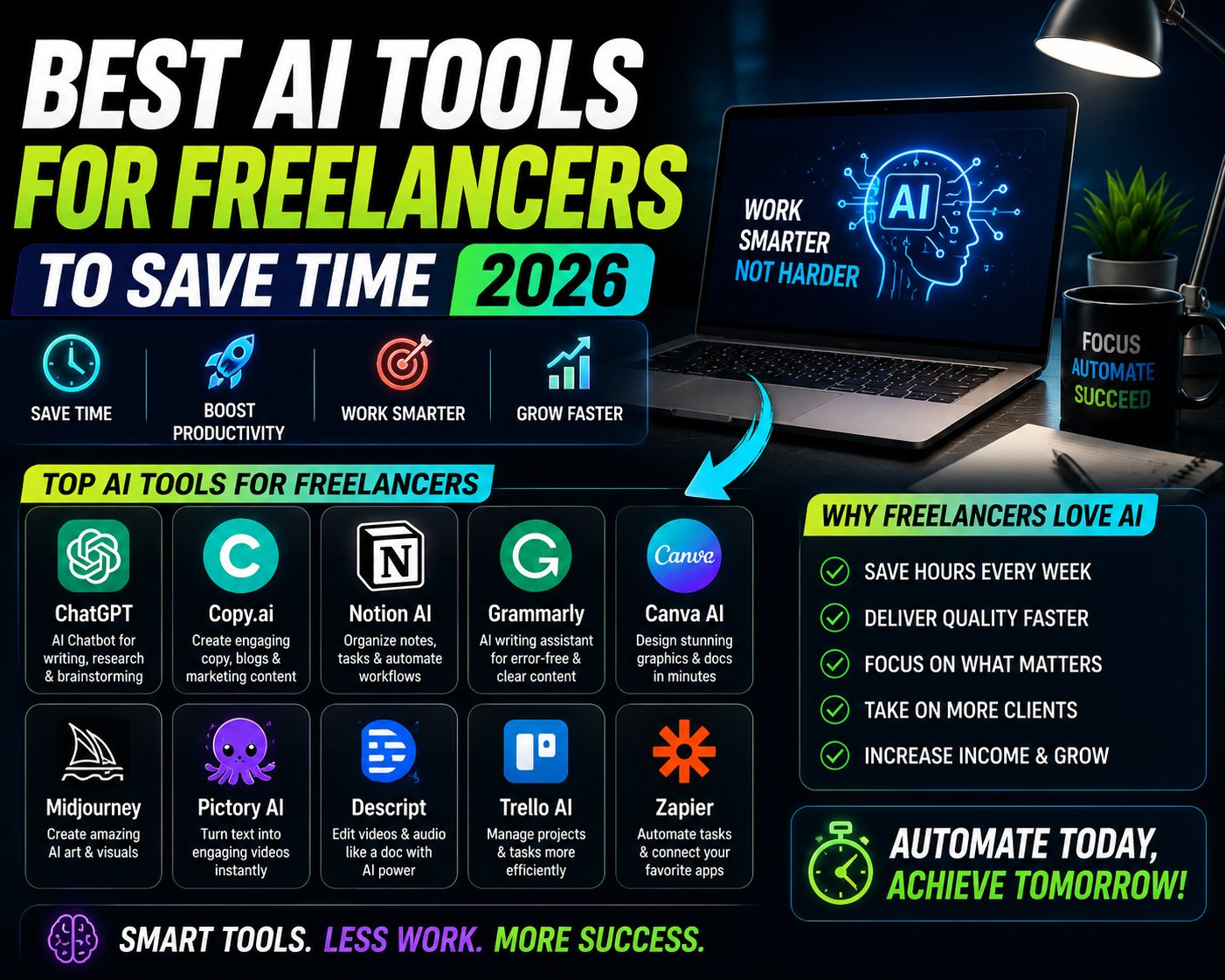
Here’s every tool I actually use, what it replaced, and what it actually costs.
The Tools That Actually Move the Needle
This is the tool I use most, almost every working day. The use cases that save the most time: drafting project proposals when I know the client’s brief, writing follow-up emails after calls when I’m not sure exactly how to phrase something, handling difficult client situations (scope creep conversations, late payment chasers, project delays) where I need the tone to be professional but firm without being aggressive.
The key is giving it context. Not “write a follow-up email” but “I had a call with a client who wants to add three extra deliverables to a fixed-price project we agreed on two weeks ago. I want to address it professionally, acknowledge the new requests, and steer toward a separate quote without damaging the relationship. Write a draft under 150 words.” That level of context produces something I can actually use with minimal editing.
If you take client call notes in Notion, the AI add-on can turn raw bullet-point notes into structured meeting summaries and extract action items automatically. I used to spend 20–30 minutes after every client call writing up notes and a follow-up email. Now I take rough notes during the call, ask Notion AI to structure them, and use that output as the base for the follow-up. The whole post-call process takes under 10 minutes. For freelancers with multiple active clients, this compounds quickly.
This replaced a significant chunk of my research time. For any topic I need to understand quickly — an industry I’m writing about, a technical concept a client mentioned, background context for a project — Perplexity gives me a synthesized answer with links to sources in under a minute. It’s different from ChatGPT for research because it cites where information came from and pulls from current sources, not a training cutoff. I can verify claims before including them in work. For content writers, researchers, and consultants, the time saving here is significant.
When a client sends a long brief, a research report, multiple reference documents, or a style guide — NotebookLM lets me upload all of it and ask questions directly. “What are the three main points this brief wants me to address?” or “Does anything in these documents contradict each other?” It reads the documents so I don’t have to read every line of a 40-page brief to understand what matters. For any freelancer who regularly receives heavy documentation from clients, this is one of the highest-ROI tools on this list.
For freelancers who aren’t designers but regularly need to produce professional-looking materials — client presentations, case study decks, social media graphics, pitch documents — Canva’s AI features have dramatically raised the baseline quality possible without design skills. Magic Design generates entire presentation layouts from a topic description. Magic Write drafts text content. The background remover and image generator handle visuals without stock photo subscriptions. For writers, consultants, marketers, and coaches especially, Canva AI replaced several paid tools and a significant amount of time.
For freelancers who handle image work — product photos, editorial images, any photography editing — Firefly’s Generative Fill inside Photoshop is a genuine time-saver. Removing backgrounds, extending images for different crop ratios, replacing elements in product photos, fixing composition problems — tasks that used to require careful manual work now take seconds. Adobe Express (the free version) offers a subset of these features that covers most common use cases without a full Creative Cloud subscription.
For freelance developers, Copilot is the single tool that saves the most time — not just by suggesting code completions but by explaining what existing code does, helping debug errors, and writing documentation automatically. The free individual tier (available since 2024) gives you everything most freelancers need. The use case that surprised me most: using it to understand legacy codebases when a client hands you a project with no documentation. What used to take a full day of reading through someone else’s spaghetti code now takes a few hours of asking Copilot to explain functions.
For anyone who records audio — podcast episodes, client voiceovers, interview recordings, online course content — Adobe Podcast’s Enhance Speech feature removes background noise, room echo, and audio artifacts automatically. Upload the audio file, download a cleaned version. Takes two minutes, produces results that would previously require either professional recording conditions or an hour of manual audio editing. Completely free with an Adobe account. One of the most quietly useful tools on this list.
Client calls that used to require frantic note-taking now get transcribed automatically. I join the call, focus on the conversation, and Otter captures everything. After the call, I ask it to pull out the key decisions and action items. The free tier gives 300 minutes per month — enough for 15–20 client calls, which covers most freelancers. The accuracy is high enough that I rarely need to reference the full transcript; the AI summary catches what matters. For anyone with multiple client relationships who struggles to keep track of what was agreed in calls, this is transformative.
“AI doesn’t replace your skills or your client relationships. It removes the hours you spend on everything that isn’t those two things.”
Quick Reference — What Each Tool Does
How to Actually Build This Into Your Workflow
Mistakes That Waste Time Instead of Saving It
The time savings from AI are real in proposal drafting, research, and admin. They’re not real in the actual relationship work — the calls, the check-ins, the nuanced judgment calls about what a client actually needs. Using AI to write every communication without reading and personalizing it makes your client work feel generic. Clients feel this. It damages trust and increases churn. Use AI to draft; use your brain to finalize.
Every new tool has a learning curve and an activation energy cost — figuring out how to prompt it, where it fits in your workflow, when it’s worth using and when it isn’t. Adding five tools at once means shallow use of all five. Most experienced AI-using freelancers I know use two or three tools very fluently and get dramatically better results than people who dabble in ten.
For freelancers whose value is creative — writers, designers, strategists, developers — using AI to produce the core deliverable and presenting it as your own work raises serious professional ethics questions. It can also directly undermine what clients are paying for: your specific expertise and perspective. Using AI for overhead (proposals, emails, research synthesis) is sensible. Using it to replace the craft your clients hired you for is a different conversation that’s worth having honestly with yourself and your clients.
Most of these tools process your inputs on cloud servers. Be careful about pasting client-confidential information, unpublished work under NDA, personal data, or sensitive business information into any AI tool without checking whether the tool has appropriate data handling for professional use. For truly sensitive work, use tools with enterprise data agreements or process sensitive information locally.
What Actually Changed in My Work
The 19 hours of non-billable work I tracked at the start of this article is now closer to 10–11 hours weekly. I didn’t become more organized or work harder — I just stopped doing things manually that AI handles in a fraction of the time.
Those recovered 8 hours go two different directions depending on the week. Sometimes they go to taking on additional client work, which translates directly to income. More often, they go to doing existing work better — more revision passes, more thorough research, better relationship management with existing clients. That quality improvement has actually had a bigger impact on rates and referrals than the efficiency gains themselves.
The unexpected benefit was mental energy. The admin overhead of freelancing isn’t just time — it’s cognitive load. Knowing I have to write six proposals, eight follow-up emails, and three invoices before I can do actual work makes the actual work harder to start. Compressing that overhead makes the whole workday feel lighter.
If this list feels like a lot: start with Claude for emails and proposals, and Perplexity for research. Those two cover the most common freelance time sinks across almost every discipline and both have free tiers that are genuinely usable. Everything else on this list is an addition to that foundation, not a replacement for it.
Track your time for one week to know where you actually lose hours. Pick the biggest non-billable time sink. Add one AI tool to address it. Use it for every instance of that task for two weeks. Then add the next. Claude for communication, Perplexity for research, Otter for calls — those three alone will recover hours every week for most freelancers. Build your prompt templates as you go. Edit everything before it goes to a client. And remember that the goal isn’t to automate your freelance career — it’s to spend more of your working hours on the things clients actually hire you for.