AI Prompt Tips for Cinematic Rain Photography in 2026

AI Prompt Tips for Cinematic Rain Photography
🌧️ Midjourney · DALL-E 3 · Firefly · Prompt Guide

The first time I tried to generate a cinematic rain photo with AI, I got a man standing in drizzle outside a petrol station. What I wanted was Wong Kar-wai. What I needed was better language.

40+Prompts Tested
7Scene Types
3Best Tools
FilmGrade Output

Rain photography has a specific emotional grammar. It’s not just wet streets — it’s the quality of light bouncing off puddles, the way neon signs bleed colour into concrete, the mist that softens edges and makes city blocks look like they’re slowly dissolving. Getting that across to an AI image generator requires very particular language.

I got obsessed with this after trying to generate cover art for a short story a friend wrote. The story had this melancholic rainy Tokyo atmosphere — narrow alleys, lonely figures, that beautiful kind of sadness you only get in East Asian cinema. My early prompts were technically correct but emotionally empty. The rain was there but the feeling wasn’t.

After about two weeks and probably forty failed generations, I finally cracked what makes cinematic rain imagery work as a prompt. The difference between a weather photo and a cinematic rain photograph comes down to six specific elements — and once you know what they are, you can engineer them deliberately.

🌧️

The Six Elements That Make Rain Look Cinematic

Every strong cinematic rain prompt needs to address all six of these. Miss two or more and you get something technically fine but emotionally flat.

Light Source Where is light coming from? Neon signs, street lamps, headlights, backlit through rain — each creates a completely different mood.
Rain Behavior Heavy downpour, fine mist, light drizzle, sheets of rain caught in light. How the rain moves determines how cinematic it reads.
Reflection Surface Wet cobblestones, rain-slicked asphalt, puddle mirrors, wet glass — reflections are what make rain photography genuinely cinematic.
Atmospheric Depth Fog, mist, steam from grates, depth-of-field blur. Rain photos feel cinematic when there’s visual layering — foreground, mid-ground, dissolving background.
Color Temperature Teal-and-orange film grade, cold blue moonlight, warm amber streetlamp, desaturated silver. Color tells the emotional story.
Human Element A lone figure, a pair sharing an umbrella, empty streets with a suggestion of presence. Emptiness vs. solitude reads very differently.
Core Principle

The most important of the six is reflection. Water on surfaces acts like a second light source and doubles the visual complexity of any scene. Every strong cinematic rain prompt I’ve written mentions a specific reflection surface. Don’t leave this to chance.

🌧️

The Prompts That Actually Produce Cinematic Results

Scene Type 1 — Lonely City Night
Prompt — Rainy City Night Portrait Midjourney v6 · –ar 2:3 –stylize 200
Cinematic rain photography, lone figure standing under a yellow umbrella on a rain-slicked empty street at night, wet cobblestones reflecting blurred neon signs in shades of amber and electric blue, fine rain visible in cones of streetlamp light, distant figures slightly out of focus, deep teal shadows, warm light islands, shallow depth of field, lens flare from rain droplets, film still aesthetic from a 2000s East Asian drama, Kodak Vision3 500T film grain, anamorphic lens bokeh, melancholic and beautiful, no text
The “yellow umbrella” creates a warm focal point that makes the cold scene emotionally legible — contrast between warmth and cold is a classic cinematic device.
Scene Type 2 — Rain on Glass / Interior Looking Out
Prompt — Rain on Window Interior Shot Midjourney v6 · –ar 16:9 –stylize 150
Cinematic photograph looking through a rain-streaked cafe window from inside, raindrops running down glass distorting the blurred street lights and moving traffic outside, warm amber interior light reflecting on wet glass, soft bokeh of street lamps through the rain, a half-finished cup of tea in soft focus foreground, rain streaks creating abstract light trails, film photography aesthetic, Fujifilm Superia 400 color palette, cozy melancholia, shallow depth of field, no people fully visible, no text
“Interior looking out” scenes work because the glass creates a natural frame — the rain becomes both subject and medium.
Scene Type 3 — Dramatic Downpour with Architecture
Prompt — Architectural Rain Drama DALL-E 3 via ChatGPT
Heavy rainfall on a narrow old city alley at dusk, water cascading off ornate building edges and ledges, puddles reflecting distorted neon signs and illuminated windows, rain curtains backlit by a single bright streetlamp creating visible rain streaks, steam rising from a street grate, deep blue-grey atmosphere with pools of warm amber and red light, high contrast between darkness and illuminated rain, cinematic wide-angle composition, reminiscent of Blade Runner visual aesthetics but grounded and real, photorealistic, no sci-fi elements, moody and atmospheric, no text
“Rain curtains backlit by streetlamp” is the specific phrase that produces the visible rain streak effect — without a backlight reference the rain often doesn’t show up visually.
Scene Type 4 — Golden Hour Rain (Rare Light)
Prompt — Sunlit Rain Adobe Firefly or Midjourney v6
Extraordinary rare light photograph of rain falling during golden hour, sunlight streaming through rain creating thousands of individual droplets visible as golden sparks against a dark stormy sky, wet street below reflecting warm golden light, a single figure in a red jacket walking away mid-distance, rainbow fragment barely visible in upper corner, cinematic and painterly, not HDR — natural film tonality, 85mm portrait lens compression, Leica M10 aesthetic, shallow depth of field, the kind of light that only exists for two minutes, no text
“The kind of light that only exists for two minutes” — descriptive emotional language like this consistently improves the atmospheric quality of the output.
Scene Type 5 — Close-Up Rain Detail
Prompt — Macro Rain Detail Midjourney v6 · –ar 1:1 –stylize 100
Extreme close-up macro photography of raindrops on a dark metal surface, each droplet perfectly spherical and reflecting a tiny inverted city street scene, dark bokeh background with blurred warm streetlights, high detail water surface tension visible, cool blue and silver tones with warm amber reflections inside each droplet, water rivulets forming between drops, cinematic macro photography, Nikon 105mm macro lens look, tack sharp focus on foreground drops with rapid falloff, meditative and abstract, no text
“Reflecting a tiny inverted city scene inside each droplet” — this specific detail produces genuinely stunning results and rarely appears in generic rain prompts.

“Rain doesn’t make a photograph cinematic. The way light behaves in the rain does. That’s the distinction the prompt has to capture.”

🌧️

Which Tool for Which Rain Scene

Midjourney v6 From $10/mo

The best overall tool for cinematic rain photography — particularly for night scenes, neon reflections, and atmospheric depth. The –stylize parameter matters: I use 150–250 for rain scenes because it adds the artistic interpretation that pushes images from “realistic” to “cinematic.” Lower stylize values look more documentary; higher values drift too abstract. The v6 model handles bokeh, lens flare, and rain streak rendering better than any previous version. Use –ar 2:3 for portrait compositions and 16:9 for wide cinematic shots.

DALL-E 3 (ChatGPT) ChatGPT Plus

Better than Midjourney for architectural rain scenes and for following very specific compositional instructions. When I need a particular layout — “wide-angle alley with the figure in the lower-left third” — DALL-E 3 respects those instructions more precisely. The downside is slightly less atmospheric quality in purely ambient shots. It’s also more conservative with very dark scenes, sometimes brightening them more than ideal for cinematic moods. Use it when composition control matters more than pure atmosphere.

Adobe Firefly Free tier available

Surprisingly good at golden hour rain and daylight rain scenes — where Midjourney can over-dramatise the lighting, Firefly keeps it more naturalistic. For commercial use (album art, editorial, brand work) Firefly’s commercial licensing is also the safest option. The “Reference Style” feature is very useful here: upload a still from a film you love the rain aesthetic of and use it as a style anchor. That alone dramatically narrows the gap between “almost right” and “exactly right.”

🌧️

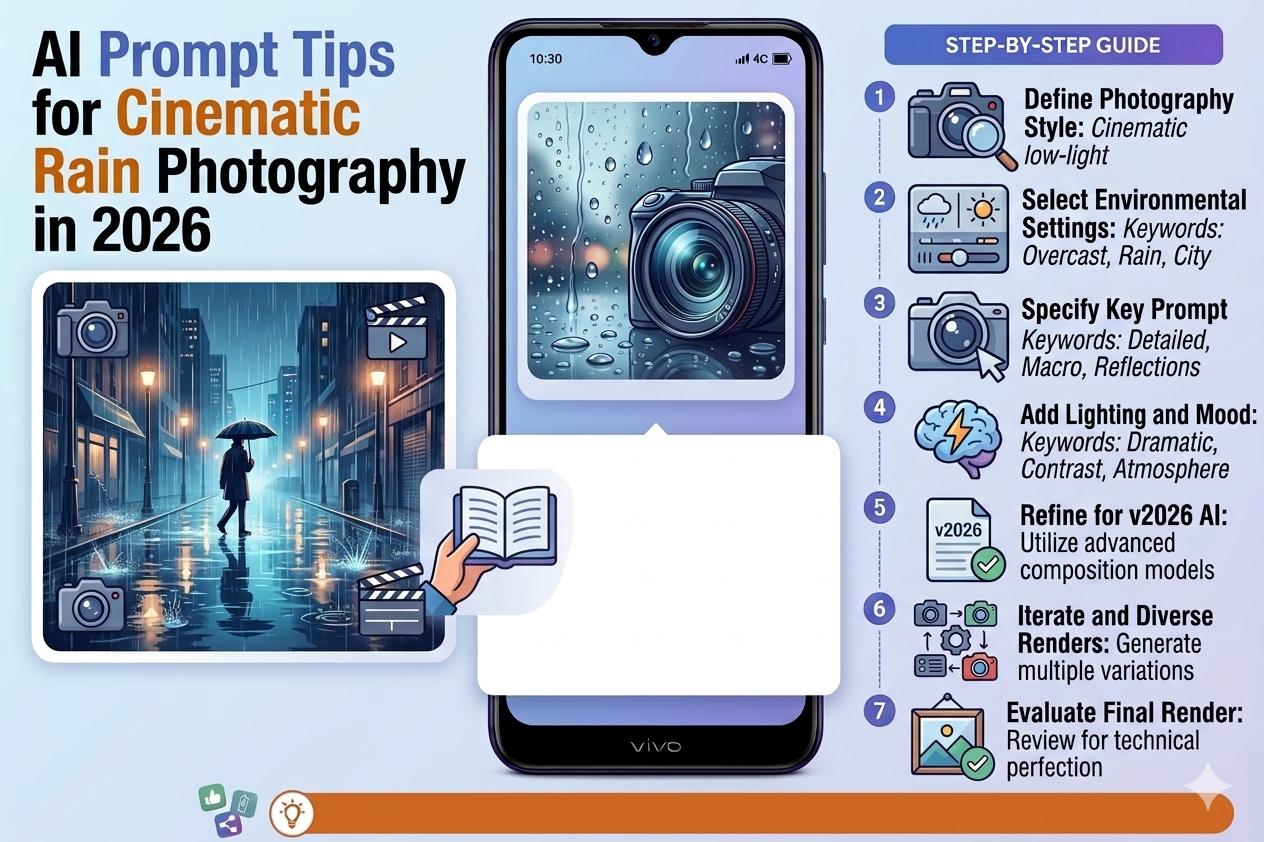
Step-by-Step: Building a Cinematic Rain Prompt From Scratch

1
Start with the emotional register, not the scene description. Before describing what’s in the image, decide what you want the viewer to feel — melancholia, romantic tension, loneliness, awe, danger. Keep that word in mind and let it guide every subsequent decision in the prompt.
2
Name a film or photographer as a reference. “Film still aesthetic from Wong Kar-wai’s In the Mood for Love,” “reminiscent of Edward Hopper but at night in rain,” “Gregory Crewdson cinematic staging.” These references give the AI a precise visual vocabulary to draw from. Be specific — “East Asian cinema” is weaker than “Wong Kar-wai” or “Park Chan-wook.”
3
Define your light source explicitly. “Backlit by a single streetlamp,” “warm amber from a shop window,” “headlights from passing traffic creating horizontal light sweeps,” “moonlight through clouds.” No light source description means the AI guesses — and often guesses wrong for cinema-quality results.
4
Specify a reflection surface. “Rain-slicked cobblestones reflecting neon,” “puddle mirror reflecting the scene inverted,” “wet tarmac with colour bleed.” This single addition transforms the visual quality of rain photography more than almost any other prompt element.
5
Add a film stock or camera reference at the end. “Kodak Vision3 500T grain,” “Fujifilm Superia 400 color palette,” “Leica M aesthetic,” “anamorphic lens horizontal bokeh.” These don’t just affect color — they affect the entire texture and feel of the output in ways that read instantly as “cinematic” versus “digital.”
6
End with “no text” and your human element decision. Decide consciously whether you want a person in the scene and how present they should be — “lone figure partially visible,” “empty street with suggestion of recent presence,” “couple barely visible in far distance.” Don’t leave the human element unspecified.
7
Run 4 variations, evaluate atmosphere first. For rain photography, atmospheric quality matters more than technical perfection. In the Midjourney grid, pick the one that makes you feel something rather than the one that’s technically most accurate. Then use Vary (Subtle) to refine sharpness and composition while keeping the mood.
🌧️

What I Got Wrong in the First Two Weeks

Mistake 1 — Describing the Rain Too Literally

“It is raining heavily” tells the AI a weather condition. “Heavy rain caught in beams of streetlamp light, individual drops visible as silver streaks against dark background” tells it what the photography actually looks like. You’re describing an image, not reporting weather. Every element of the prompt needs to describe what the camera sees, not what exists in the scene.

Mistake 2 — Using “Cinematic” as a Substitute for Specificity

“Cinematic rain photography” is in most of my prompts, but it’s never the main doing the heavy lifting — it’s a tone marker. People write “cinematic” and then describe a completely generic scene and wonder why the result doesn’t look like a film still. “Cinematic” needs to be supported by a specific film reference, specific lighting, specific color grade. Without those, it’s an empty adjective.

Mistake 3 — Generating Too Dark to Read

I kept pushing toward darker and darker scenes trying to get more dramatic results. Several outputs were genuinely beautiful but completely unusable because they were too dark to show detail. If you want deep shadows, compensate by specifying isolated pools of bright light — “single streetlamp,” “shop window light,” “car headlights.” The contrast between darkness and those light sources is what creates drama, not overall darkness.

Mistake 4 — Forgetting the Middle Distance

Cinematic photography has visual depth — foreground, mid-ground, background. Prompts that describe only one plane produce images that feel flat regardless of how atmospheric they are. Always include something in at least two distances: “rain streaks in foreground, figure in mid-distance, city lights dissolving in background mist.”

The Mood Words That Actually Work

These specific words consistently improve atmospheric quality in rain prompts: melancholic, liminal, contemplative, hushed, suspended, luminous, ephemeral, dissolving, silver, pewter, iridescent. Avoid: beautiful, amazing, dramatic, stunning — these are evaluation words, not visual descriptions, and the AI can’t render an “amazing” raindrop.

🌧️

The Image That Finally Got It Right

The cover art for my friend’s story ended up using a version of the “Lonely City Night” prompt, adjusted for a Japanese alley setting. We ran it three times with slight variations in the human element — first with a figure, then without, then with just a partially visible umbrella at the bottom of frame.

That third version — the umbrella suggestion rather than a full figure — was the one. It implied presence without showing it, which matched the story’s emotional register perfectly. The rain was visible as streaks in the lamplight. The cobblestones held the reflections. The mist in the background dissolved the far end of the alley into soft light.

My friend said it looked like someone had photographed the exact feeling of the story. That’s the bar cinematic rain photography should reach — not technically impressive, but emotionally accurate.

Start with the emotional register you’re after — melancholia, tension, awe — and build outward from there. Name a film or photographer as a style anchor. Specify your light source and a reflection surface in every prompt. Add a film stock reference at the end. And decide consciously whether you want a human presence in the scene. Those five decisions, made clearly, will take your rain photography prompts from “weather photo” to something that genuinely looks like it belongs in a cinema frame. The rain is easy to generate. The feeling it carries is what takes the work.

Leave a Comment