I posted the same reel twice — same video, same caption, different hashtags. One got 300 views. The other hit 14,000. That’s when I stopped guessing and started actually testing.
For about eight months I was convinced hashtags were basically dead. I’d throw thirty of them on every post, watch the reach stay flat, and figure the algorithm just didn’t care anymore. Everyone online seemed to be saying the same thing — hashtags don’t matter, focus on content quality, blah blah blah.
Then I started paying attention to the accounts in my niche that were actually growing. Not the massive ones — the mid-size ones that were climbing fast. Their hashtag strategies looked nothing like mine. They weren’t using thirty tags. They weren’t copying the same popular ones everyone else used. They were mixing sizes, rotating sets, and picking tags that were genuinely active in their specific niche rather than just broadly popular.
I spent about three months testing this properly, and AI hashtag tools were a big part of figuring it out. Here’s what actually works — and more importantly, what doesn’t.
The Hashtag Problem No One Really Explains
The issue isn’t that hashtags stopped working. The issue is that the way most people use them stopped working. Stuffing thirty maximum-volume hashtags onto every post puts your content in a feed full of millions of posts, where it gets buried in seconds.
What actually moves reach is finding hashtags that are:
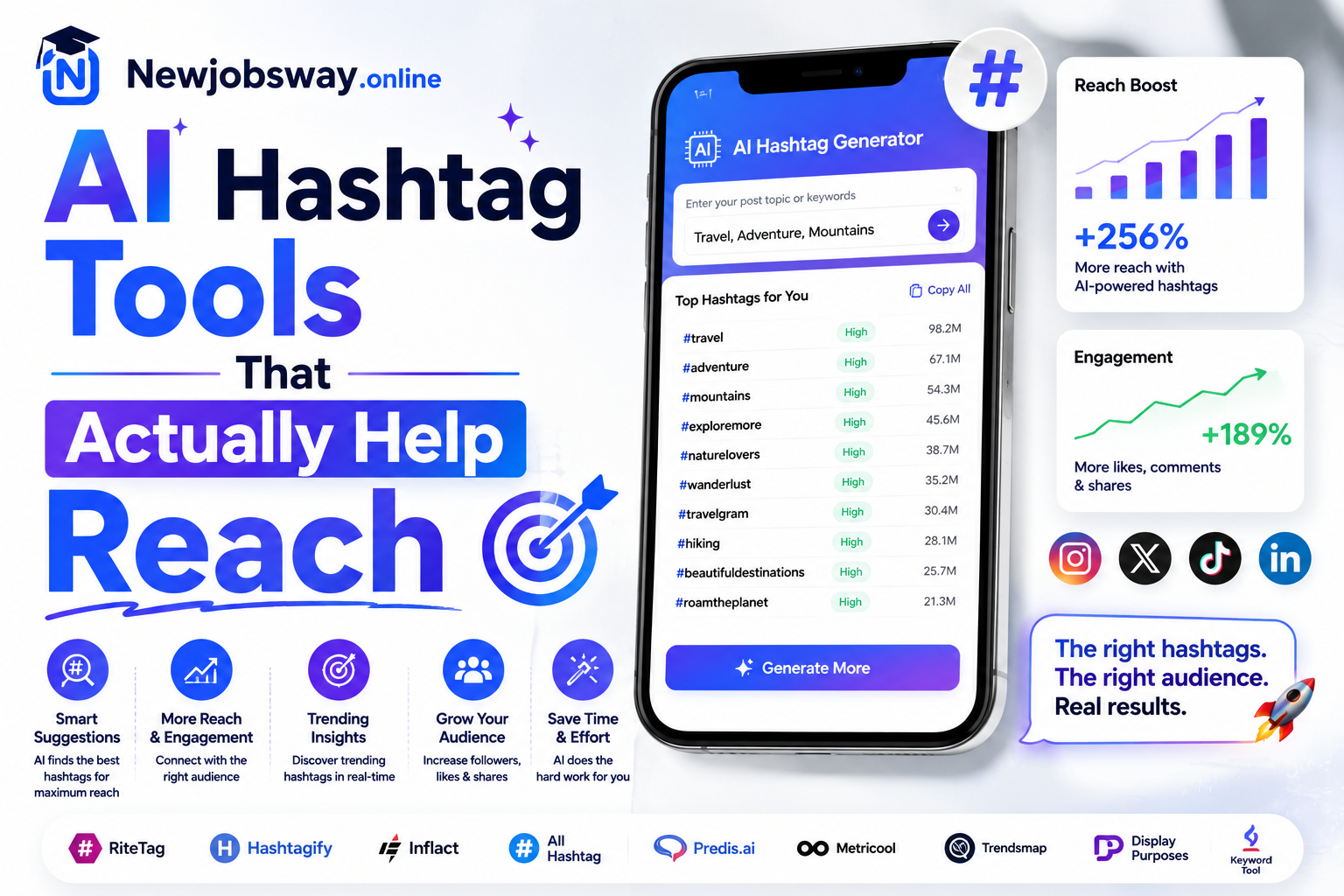
Doing that manually takes forever. AI hashtag tools speed up the research dramatically — not by magically generating viral tags, but by analyzing what’s actually performing in your specific content area right now.
A hashtag with 500,000 posts and 50,000 daily additions is more useful than one with 50 million posts. Your content has a window of visibility — smaller active pools keep it visible longer. AI tools help you find these medium-sweet-spot tags fast.
The Tools Worth Actually Using
 Best Overall for Instagram
Flick is the one I use most consistently and the one I’d recommend if you’re serious about Instagram growth. You type in your topic or paste your caption, and it generates hashtag suggestions ranked by reach potential, competition level, and how recently they’ve been active. The key feature that separates it from basic tools is the ability to see each hashtag’s average post performance — not just its size. You can build “sets” of hashtags grouped by topic, save them, and rotate them across posts so you’re not using identical tags every time. The analytics tab shows you which hashtags actually drove impressions on your past posts, which is genuinely useful data you can’t get easily anywhere else.
Hashtagify has been around longer than most, and on Twitter/X it’s still one of the better options. Type in any hashtag and it shows you related tags, current popularity trends, and how the tag has trended over the past weeks. The map view is actually useful — it shows you which hashtags are closely connected so you can understand the neighborhood your content would sit in. The free tier limits you to a few searches per day which gets frustrating fast, but it’s enough to do focused research on a new topic before committing to a content strategy. The paid plan unlocks competitor tracking, which is useful if you’re analyzing why a rival account is growing faster than yours.
Later is primarily a scheduling tool but its hashtag suggestion feature is genuinely good and criminally underrated. When you’re writing a caption in Later, it suggests hashtags based on your caption text and shows each tag’s weekly post volume. What I like most is that it keeps a history of hashtags you’ve used and flags when you’re about to repeat the same set — Instagram’s algorithm is widely believed to soft-penalize accounts that use identical hashtag sets post after post, so this warning is actually valuable. If you’re already paying for Later to schedule content, the hashtag tools are a bonus that removes the need for a separate subscription elsewhere.
If you don’t want to pay for anything and don’t want to create another account, MetaHashtags is the quickest starting point. Type in a keyword, choose your platform (Instagram, TikTok, YouTube, LinkedIn), and it generates a sorted list of related hashtags with their post counts. No login, no subscription nag screens, just results. The suggestions aren’t as nuanced as Flick — there’s no active-vs-stale analysis, no performance tracking — but for someone just starting to build a hashtag strategy, it’s more than enough to go from zero to a working set in ten minutes. I still use it for quick research when I’m testing a new content topic I’ve never covered before.
Predis generates hashtags specifically optimized for short video content, which behaves differently from static posts. On TikTok especially, the hashtag ecosystem changes fast — tags that were hot three weeks ago can be stale now. Predis pulls trending data more frequently than most tools and weights its suggestions toward tags with active video views rather than just post count. You paste your video description or topic, choose TikTok or Reels, and it generates a set with a mix of trending, niche, and broad tags already balanced for you. The free tier is genuinely usable if you’re posting a few times a week rather than daily.
“The best hashtag set isn’t the most popular one — it’s the one where your content has enough room to actually be seen before it gets buried.”
Side-by-Side Comparison
| Tool | Platform Focus | Free Option | Performance Data | Best For |
|---|---|---|---|---|
| Flick | Limited trial | Yes — detailed | Serious creators | |
| Hashtagify | Twitter/X | Yes | Trend history | Twitter strategy |
| Later | Instagram, TikTok | Yes | Usage history | Schedulers |
| MetaHashtags | Multi-platform | 100% free | Basic only | Quick research |
| Predis.ai | TikTok, Reels | 15 posts/mo | Trending data | Short video |
How to Actually Build a Hashtag Strategy With These Tools
Having the tools is step one. Using them in a way that actually builds reach over time takes a bit more thought. Here’s the process that worked for me:
The Mistakes That Keep Reach Flat
Instagram has confirmed that using identical hashtag sets repeatedly can reduce their effectiveness. Beyond the algorithm concern, it’s also lazy strategy — different posts within the same niche should target slightly different hashtag clusters. A post about packing light and a post about budget accommodation overlap but shouldn’t use the same tags.
Using #travel (500M+ posts) on your travel photo doesn’t get you discovered — it gets you buried in 0.3 seconds. The people browsing massive hashtags are mostly other creators dumping content, not genuine audiences looking for new accounts to follow. Medium-volume niche hashtags have real browsers.
Every AI hashtag tool generates suggestions based on data — but the data is always slightly behind. Before adding any suggested tag to your set, manually check it on the actual platform. Open it, look at the top posts. Is the content similar to yours? Is it recent? Is the tab active? Tags that look good on paper sometimes have toxic, spammy, or completely irrelevant content dominating them.
Hashtags work differently on each platform but they work on all of them. LinkedIn hashtags are massively underused — even modest niche tags there have less competition than equivalent Instagram tags. YouTube hashtags in the title and description affect search. Pinterest tags operate more like keywords. If you’re only optimizing one platform, you’re leaving reach on the table everywhere else.
TikTok’s hashtag behavior changed significantly in 2025. The platform now relies more heavily on content analysis than hashtags for distribution — but hashtags still influence the initial audience the video gets shown to before the algorithm decides whether to push it wider. Use 3–5 targeted tags on TikTok rather than the 20–30 that used to be standard. Quality and relevance matter more than quantity there.
What the Testing Actually Showed
That reel I mentioned at the start — the one I posted twice — the difference wasn’t the content. It was that the second time I used a Flick-generated set instead of my default saved tags. The Flick set included three medium-volume hashtags I’d never used before that were specifically active in my content category that week.
Two of those three hashtags drove the majority of the hashtag impressions. I never would have found them manually — they weren’t obvious, they weren’t the ones everyone in my niche was using, and they weren’t trending in any visible way. They were just quietly active and right-sized for my account at the time.
That’s the actual value of these tools. Not magic, not guaranteed virality — just faster access to information that would take hours to find by hand. The strategy still needs to be yours. The execution still depends on your content quality. But the research layer gets dramatically faster.
I use Flick for Instagram set-building once a month, MetaHashtags for quick research when I’m covering a new topic, and Later for the rotation warning when I’m scheduling in advance. Three tools, different jobs, none of them expensive. The whole system takes maybe 30 minutes a month to maintain.
Start simple: pick MetaHashtags if you want free and fast. Pick Flick if you’re serious about Instagram growth and want actual performance data. Pick Predis if TikTok or Reels is your main platform. Run your niche seeds through whichever tool you choose, build 3–4 rotating sets, and check your analytics in two weeks to see which tags actually moved impressions. That feedback loop — tool research, post, check analytics, refine — is what actually builds reach over time. The AI speeds up the research. The rest is still up to you.